Picture of the Day
NASA picks one image of the cosmos every day. Solar Beam puts it front and center with plain-language, AI-powered facts so you understand what you're looking at.
open /Applications/Solar\ Beam.app
Photo & Video
The universe, native on your Mac
Solar Beam shows NASA's picture of the day, the sharpest James Webb images ever taken, and the asteroids passing Earth right now — in a fast, native Mac app with a live menu bar ticker. Free to download, no telescope required.
./solarbeam --screenshots
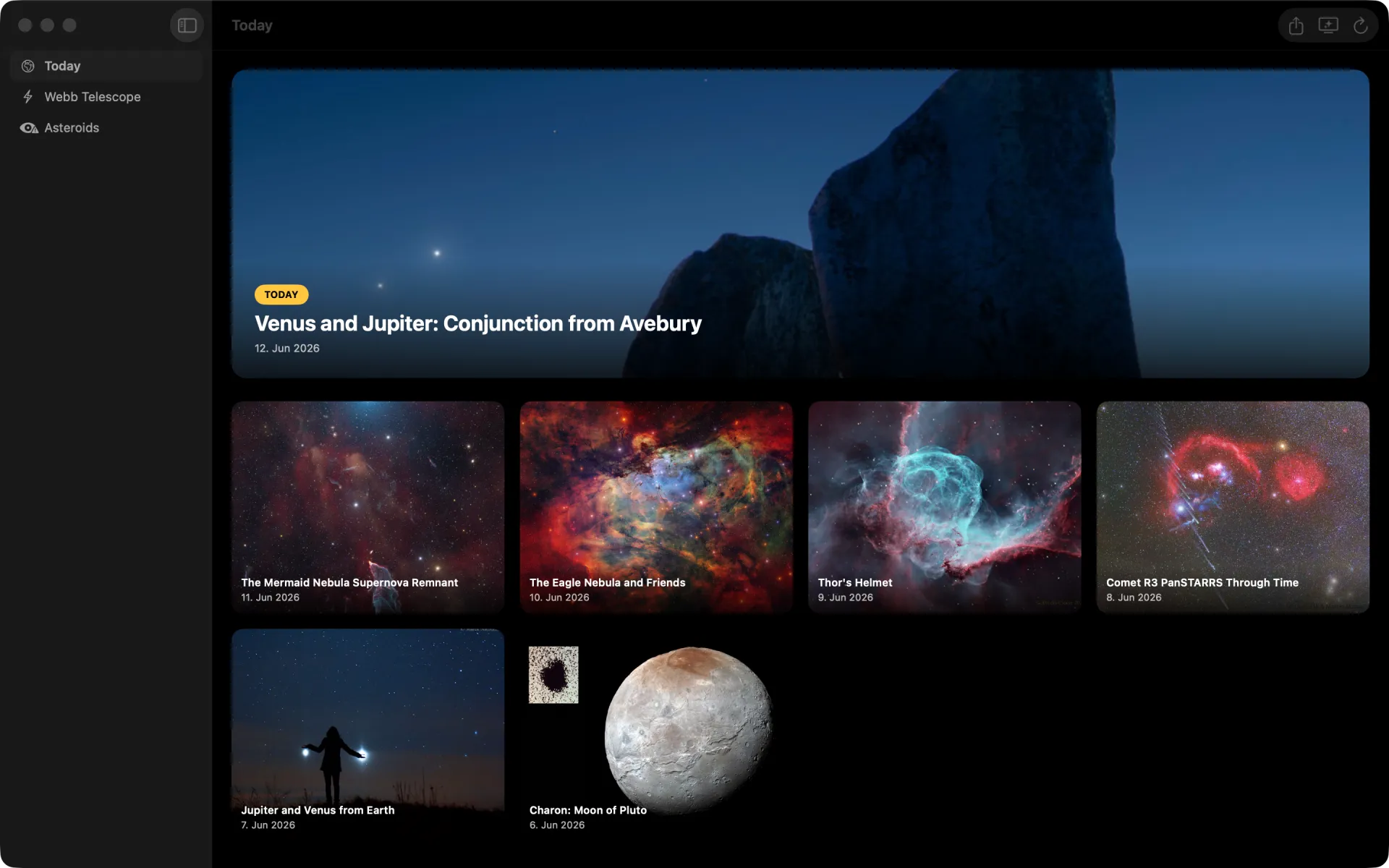
NASA picture of the day on Mac
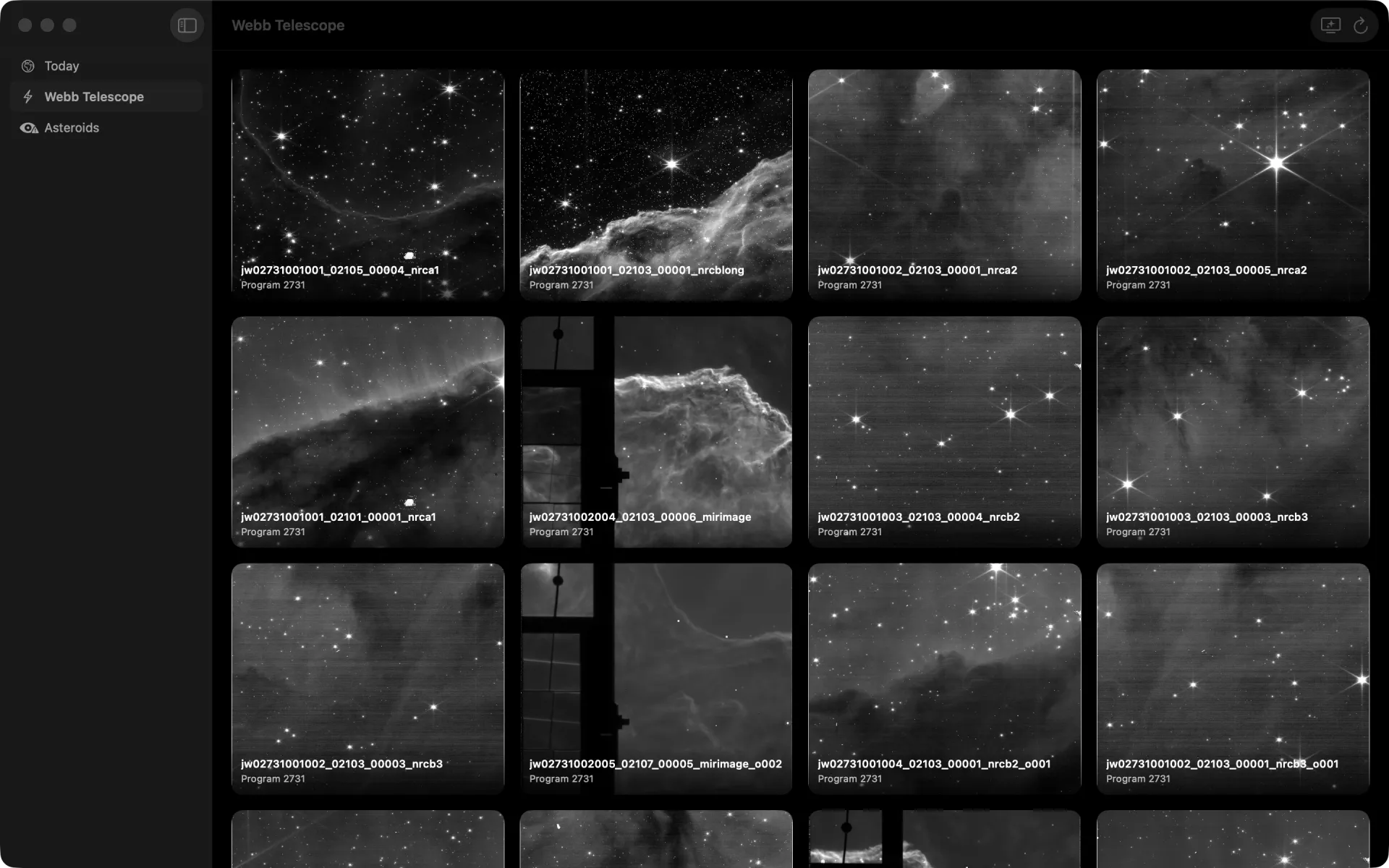
Webb deep-space gallery
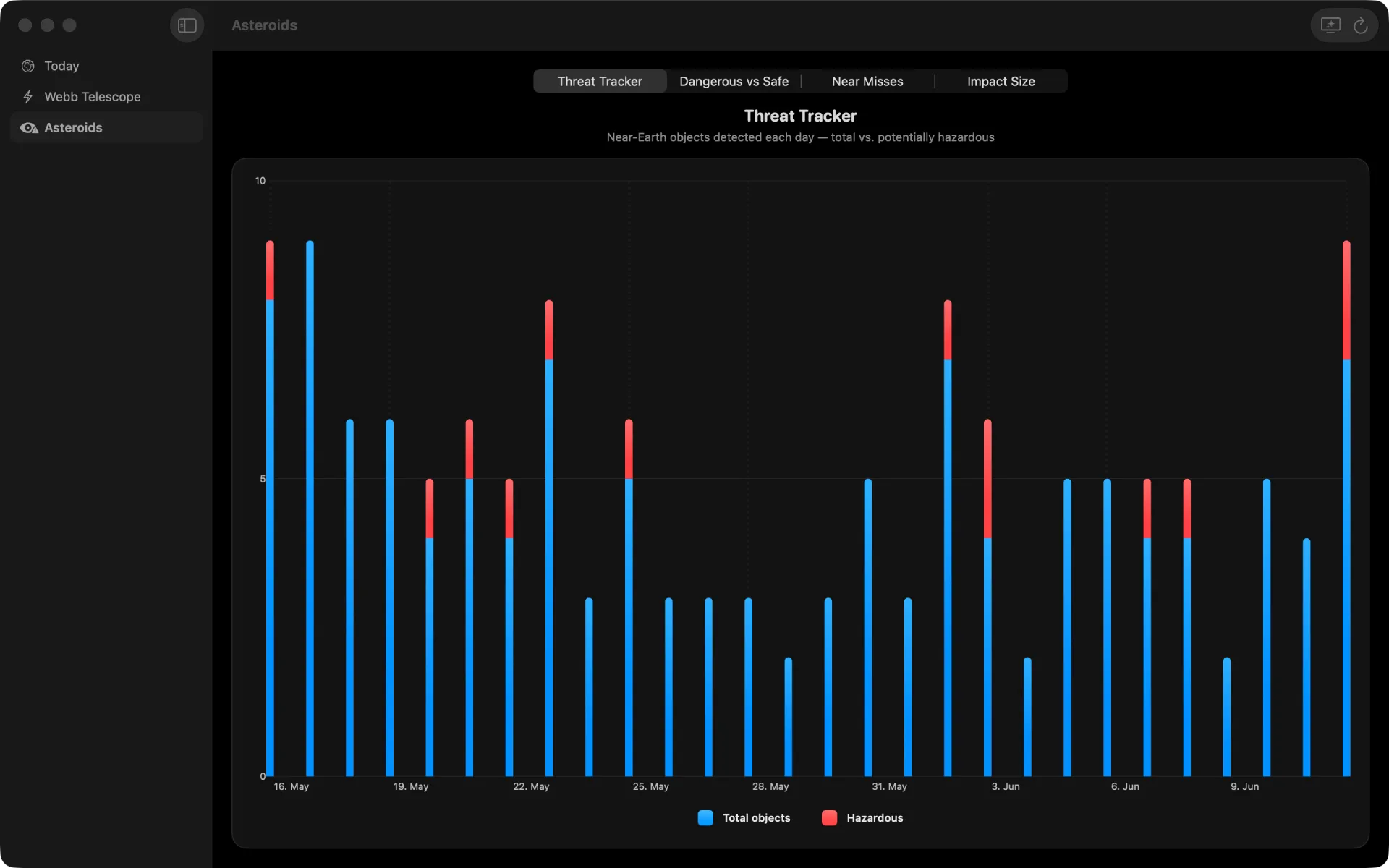
Live asteroid threat charts
tap a screen to enlarge · swipe to see more → click a screen to enlarge
cat solarbeam/FEATURES.md
Solar Beam shows NASA's picture of the day, the sharpest James Webb images ever taken, and the asteroids passing Earth right now — in a fast, native Mac app with a live menu bar ticker. Free to download, no telescope required.
NASA picks one image of the cosmos every day. Solar Beam puts it front and center with plain-language, AI-powered facts so you understand what you're looking at.
Browse the deepest images humanity has captured — newborn stars, colliding galaxies, and distant nebulae — and export any one at full resolution, ready for your desktop.
See what's passing Earth in real time: how close each asteroid comes, how fast it moves, and the size of impact it would leave. Charts sort the dangerous from the safe.
Today's picture and a live asteroid ticker sit in your menu bar, one glance away all day. Click through to the full app whenever something catches your eye.
A true native app — sidebar navigation, keyboard shortcuts, multiple windows, and the standard Mac save panel for any image you want to keep.
Leave a slow, beautiful deep-space slideshow running in its own window — cosmic wallpaper that changes itself. Part of Solar Beam Premium.
man solarbeam
Get Solar Beam free from the Mac App Store. No account, no purchase — today's NASA picture is always free.
Today's NASA picture greets you instantly, with the Webb library and live asteroid tracker one click away and a ticker in your menu bar.
Unlock Solar Beam Premium for Ambient Mode, the complete Webb library, years of past pictures, and unlimited AI facts — by subscription or a one-time lifetime purchase.
less solarbeam/README
A window onto the cosmos, right on your desktop.
Solar Beam brings the universe to your Mac: NASA's Astronomy Picture of the Day, the deepest images ever captured by the James Webb Space Telescope, and a live look at the asteroids passing by Earth — in a fast, native Mac app.
Every day, NASA picks one breathtaking image of our universe. Solar Beam pairs it with bite-sized, AI-powered facts so you actually understand what you're looking at.
Explore the sharpest views of deep space humanity has ever produced — and export any image in full resolution, ready for your desktop.
Track what's hurtling past us in real time, with charts of approach distance, speed, and size, and a live threat readout.
• A true native app — sidebar navigation, keyboard shortcuts, multiple windows
• Today's picture and a live asteroid ticker in your menu bar, one glance away all day
• Save any image with the standard Mac save panel
• Ambient Mode — a slow, beautiful deep-space slideshow in its own window
Go deeper with an optional subscription or a one-time lifetime unlock:
• Ambient Mode — a living deep-space gallery on every screen you own
• The complete Webb telescope library
• Years of Pictures of the Day, far beyond the free 30-day window
• Unlimited AI-generated facts
One purchase covers iPhone, iPad, Mac, Apple TV, and Vision Pro, with Family Sharing included. A free trial is available on the annual plan, and the daily picture is always free.
Terms of Use (EULA): https://www.apple.com/legal/internet-services/itunes/dev/stdeula/
—
Solar Beam is an independent app and is not affiliated with, endorsed by, or sponsored by NASA or ESA. Imagery and data are provided through NASA's public APIs.
./solarbeam --faq
Solar Beam is free to download on the Mac App Store, and a new NASA picture of the day is always free. Solar Beam Premium is optional — it adds Ambient Mode, the full Webb library, the complete archive of past pictures, and unlimited AI facts.
Only if you want more. The app is free; Solar Beam Premium is available either as a subscription (with a free trial on the annual plan) or a one-time lifetime unlock. The daily picture stays free either way.
Free covers today's picture, the live asteroid tracker, and a rolling 30-day window of past pictures. Premium unlocks Ambient Mode, the complete Webb telescope library, years of archived pictures beyond the 30-day window, and unlimited AI-generated facts.
From NASA's public APIs: the Astronomy Picture of the Day, James Webb Space Telescope imagery, and near-Earth object data. Solar Beam is an independent app and is not affiliated with or endorsed by NASA or ESA.
Yes, for content you've already viewed. Smart caching keeps recent images available offline and makes launches fast. New daily images and live asteroid updates need a connection.
Solar Beam is a native Mac app and requires macOS 15 or later. It's built for the Mac — sidebar, menu bar, keyboard shortcuts, and multiple windows.
Refunds are handled by Apple through your App Store account, under Apple's standard refund policy. Solar Beam doesn't process payments directly.
Short, plain-language explanations paired with each image to help the science click — from solar flares to galaxies billions of light-years away.
Solar Beam is free to download on the Mac App Store — a new NASA picture every day at no cost. Solar Beam Premium, an optional subscription or one-time lifetime unlock, adds Ambient Mode, the complete Webb library, the full archive, and unlimited AI facts.
ls ~/apps