
Not interested, in one click
On For you, a frown next to X’s Grok button does what Not interested in this post does, without opening the menu. X gets the same feedback and shows you fewer posts like it.
./unrager
Keep x.com. Lose the rage.
A browser extension for the x.com you already use. A small model on your own computer reads each post before X shows it and hides the rage bait, the dunking and the doom. You can see what it hid and why, and one click brings a post back.
$ curl -fsSL unrager.com/install.sh | bash
macOS & Linux · then add the extension, three clicks · iPhone app
what this counts
HTTP requests that fetched the binary, not unique people. Updating with unrager update or re-running the install script counts again.
./unrager --how-it-works
It only reads what X already sends your browser and never asks X for anything else. The judging happens on your computer, before the page shows the post.
x.com · in your browser
Your Home timeline
For you · Following
what X already sends your browser
the rage filter · on your own computer
unrager
your rules · cached verdicts
every new post → KEEP or HIDE 3
and the
rule it broke
x.com · without the rage
Your Home timeline
the same page, minus the bait
Hidden: engagement farming counted on the toolbar badge
also judged the same way: the terminal client and the iPhone app
./unrager --install
You need a Chromium browser on macOS or Linux and a model to run. unrager does the rest, and keeps running in the background.
Install Ollama from ollama.com, then pull the default model, unrager-4b, which was trained for this filter. It’s 2.7 GB and judges a post in a fraction of a second.
$ ollama pull hf.co/guitaripod/unrager-4b:Q4_K_M Already running LM Studio, vLLM, llama.cpp or SGLang? Skip this: step 2 finds it and prints the lines to put in filter.toml.
One program for macOS and Linux. The script runs unrager setup for you: it checks that your model answers, starts unrager in the background so it comes back after a restart, and unpacks the extension.
$ curl -fsSL https://unrager.com/install.sh | bash $ cargo install unrager && unrager setup In Chrome, Brave, Edge, Vivaldi or Arc:
chrome://extensions. unrager setup printed. Then open x.com. Posts that match your rules never show up in For you and Following, and the unrager icon counts the ones it hid.
Later, unrager update updates everything, and the toolbar icon shows ↑ until you reload the extension. unrager doctor says what's wrong if anything is.
cat ~/.config/unrager/filter.toml
unrager starts with the usual suspects: electoral politics, culture-war fights, doom, engagement farming, crypto shilling. Change any of it from the extension's popup, in plain words. A post is hidden when a topic is the point of it, not when it mentions one in passing, so a physicist's joke about the election stays.
Pick how strict it is. Relaxed hides only posts clearly about your topics. Balanced, the default, also hides rage bait and dunking but keeps anything the model isn't sure about. Strict hides that too. Each topic shows how many posts it hid, so the one that hides too much stands out.
Curious what it caught? Show hidden posts brings them back dimmed, each labelled with the rule that caught it. Show this post keeps one for good, and right-clicking any post on Home hides it by hand. unrager remembers both, in every client and through rule changes.
12 posts hidden
148 posts checked on this tab.
Pause filtering
Show hidden posts
What gets hidden
How strict
RelaxedBalancedStrict
Add a topicAdd
Save rules
Settings
cat unrager/FEATURES.md
X's own app, your account and every feature stay. The posts that exist to make you angry go, and the only model that ever sees your timeline runs on your own machine.
On For you, a frown next to X’s Grok button does what Not interested in this post does, without opening the menu. X gets the same feedback and shows you fewer posts like it.
Every hidden post names the rule it broke. Turn on Show hidden posts and they come back dimmed, each labelled “Hidden: war”, “Hidden: engagement farming”.
Show this post brings one back for good; right-click any post on Home to hide it by hand. Your call outranks the model in every client and survives rule changes.
Relaxed, Balanced or Strict, and a count of what each rule hid since you last changed them, so the rule that hides too much stands out.
Your own posts, retweets of them and the conversations you replied in are never hidden. Profiles, threads and search are never filtered: you went looking.
unrager-4b on Ollama by default, or anything with an OpenAI-compatible API: LM Studio, vLLM, llama.cpp, SGLang, llama-swap. unrager eval scores yours on about 200 made-up posts.
Posts go to unrager on localhost and to your model, nowhere else. No account, no telemetry, and the server refuses requests from web pages.
If your model is off or slow, X works as usual: a new post shows after a couple of seconds, a failed check is never remembered, and the badge says what to fix.
Tested on 1,049 real posts from one feed, the default model takes out about three in four rage posts and hides about one good post in 31. A good post hidden counts as the worse mistake, because you never see it, and every change to the prompt is scored on both before it ships.
./unrager --iphone
An extension can't reach X's own iPhone app, so there's a native one. It talks to unrager on your computer: the model that judges your desktop timeline judges your phone's too, and Home opens instantly because your computer keeps it ready.
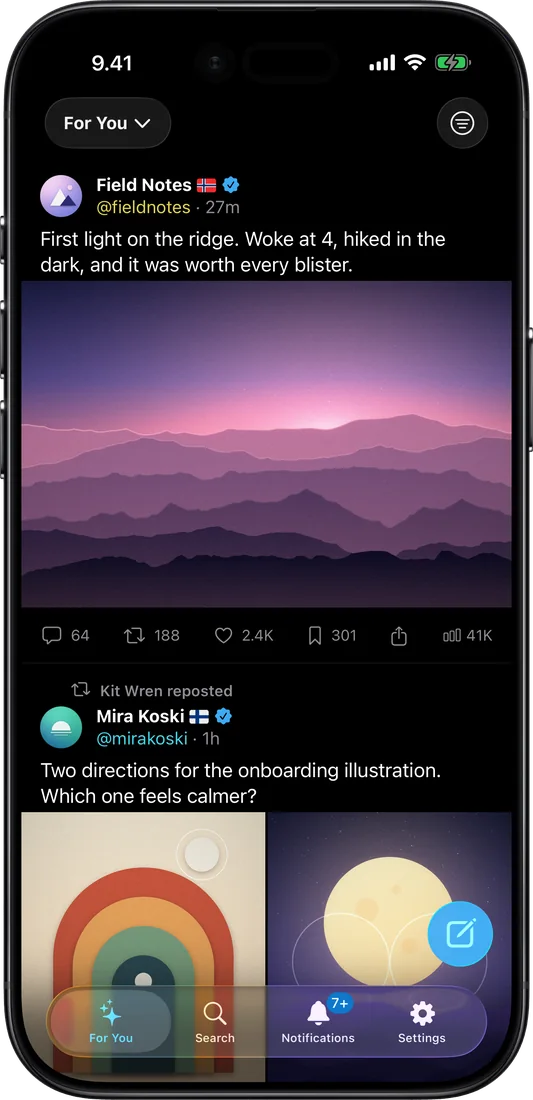
For you, a country flag on every author and the whole post behind a repost.
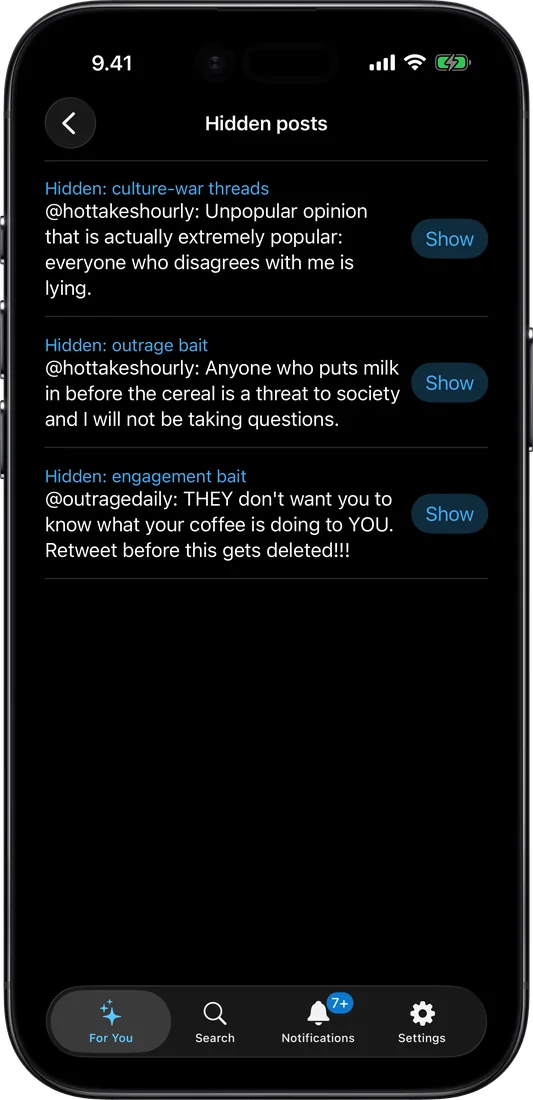
What the filter hid, each post under the rule that caught it. Show brings one back.
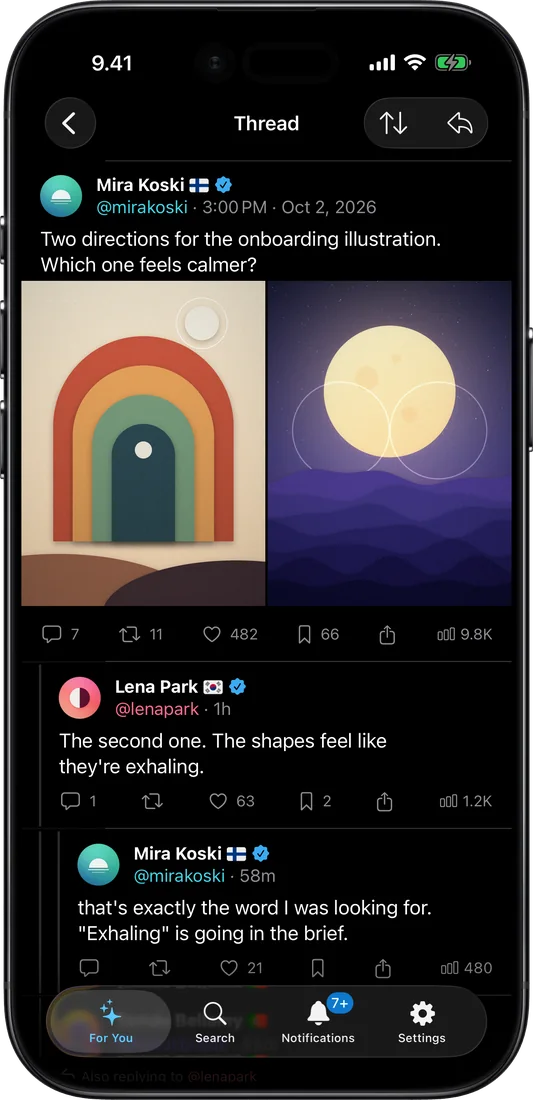
Threads with replies under their parents, and who quoted a post.
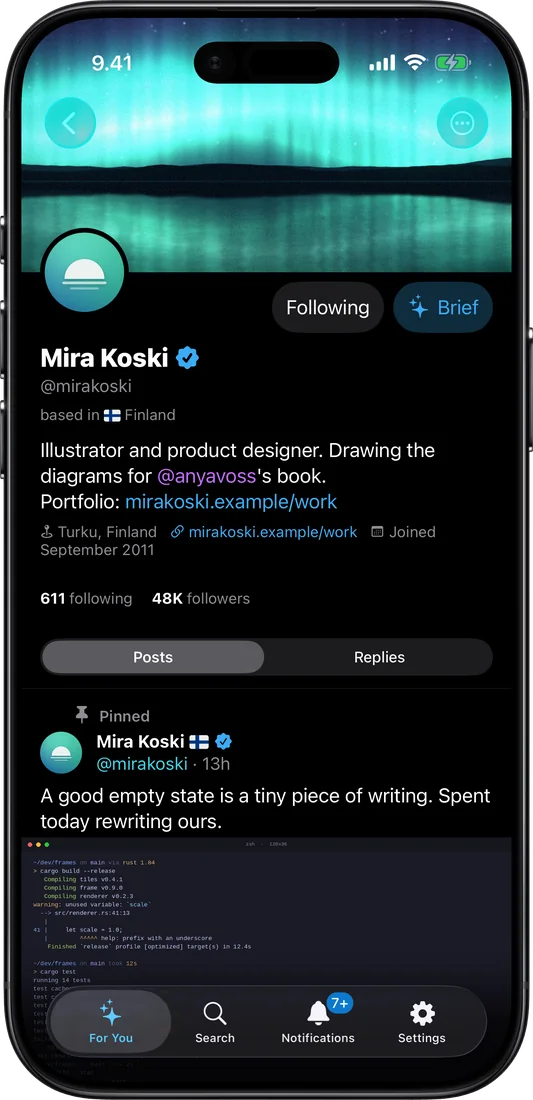
Profiles with bio, location, join date and the pinned post, plus Mute and Block.
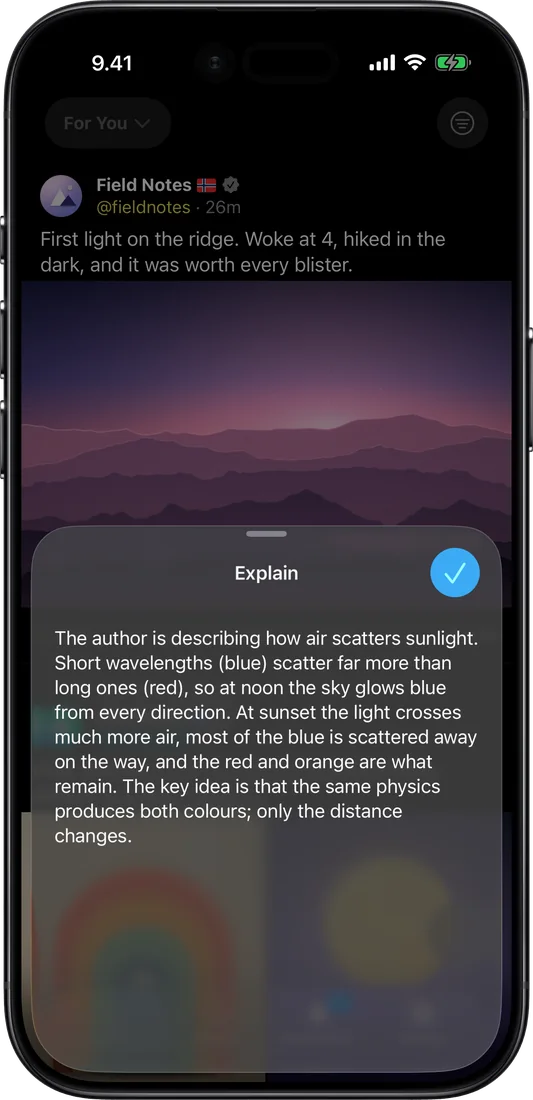
Ask, Brief and Translate stream from your own model.
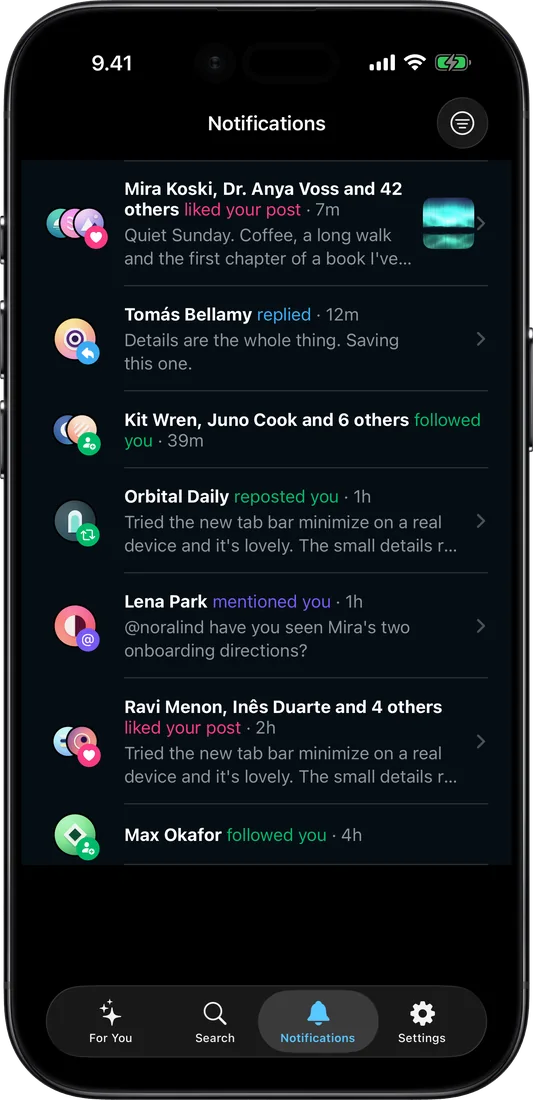
Notifications grouped by who did what, with a calm unread badge on the tab.
It isn't on the App Store, because it runs on your own X session. You build it once on a Mac, and a free Apple ID is enough.
On the computer that runs unrager, signed in to x.com in your browser. It prints the address the app needs. Keep it on a private network such as Tailscale: unrager has no login of its own.
$ unrager setup --apps --bind 0.0.0.0:7777 On a Mac with Xcode 26, after brew install xcodegen, signed in to your Apple ID under Xcode > Settings > Accounts, with the phone plugged in, unlocked and trusted, and Developer Mode on. The script finds your phone and signing team, and asks for the address from step 1.
$ git clone https://github.com/guitaripod/unrager $ cd unrager/ios && ./scripts/install.sh On the phone: Settings > General > VPN & Device Management > your Apple ID > Trust, then open Unrager and allow the local network. A free Apple ID’s build stops opening after 7 days; run the script again to renew it.
The step-by-step guide explains every screen, what each error means and how to do it by hand in Xcode. The screens above show made-up posts.
ls models/
unrager-4b is a custom model trained for unrager, and it is the default: setup points at it, so there is nothing to configure. It is Qwen3.5-4B fine-tuned on about 7,400 posts from one real feed, labelled against unrager’s default rules by a 26B model and a second model that had to agree. It reads a post and answers KEEP, or HIDE and the number of the rule that caught it. It hides half as many good posts as the 26B model, and it is small enough to stay loaded on a laptop.
1 in 31
good posts hidden
the Qwen3 4B it replaced hid 1 in 24, a 26B model 1 in 15
3 in 4
rage posts caught
on 1,049 real posts, scored by hand; the Qwen3 4B caught 3 in 5
2.7 GB
to download
Q4_K_M, 4.5 GB at Q8_0, runs on a laptop
Apache 2.0. Tuned to unrager’s default rules; the prompt ships with the weights.
ls unrager/
unrager began as an X client for the terminal, and it's still here: run unrager for your timeline with the same filter, threads in a split pane, inline images in Ghostty,
Kitty and WezTerm, and a local model that translates posts and explains threads. Every
text box is a small Vim editor.
unrager read, thread, search and friends print posts as text or JSON, and unrager eval scores your model on your own labelled posts. The README lists every command.
./unrager --faq
Good, not perfect. Tested on 1,049 real posts from one person’s feed, judged against their own rules, the default model took out about three in four rage posts and hid about one good post in 31. Nothing it hides is gone: turn on Show hidden posts to see each one with the rule that caught it, and one click brings it back for good.
No. The extension hands posts to unrager on localhost, and unrager hands them to your model. There’s no account and no telemetry. The background server that setup installs never reads your X login and never talks to X, and it refuses requests from web pages, so a site you visit can’t use it.
X works as usual. unrager fails open: a new post waits a couple of seconds for its verdict and then shows anyway, a failed check is never remembered, and unrager asks again shortly. The toolbar badge shows ! while posts can’t be checked, and the popup says what to run.
The default is unrager-4b on Ollama, and it’s small on purpose: on 1,049 real posts it hid about one good post in 31, where a 26B model hid one in 15. It is 2.7 GB, loads in about two seconds and stays loaded. Any instruction-tuned model that can answer HIDE or KEEP will do, served by Ollama or anything that speaks the OpenAI chat API. unrager eval tells you how well yours filters.
A model trained for unrager, and the default one: Qwen3.5-4B fine-tuned on about 7,400 posts from one feed, labelled against unrager’s default rules by a 26B model and a second model that had to agree. On 1,049 real posts it hid about one good post in 31 and caught about three in four rage posts, where the Qwen3 4B it replaced hid one in 24 and caught three in five. It is Apache 2.0, and its weights, GGUFs and prompt are on Hugging Face and as a torrent on Pirate Face. It is tuned to the default rules; with rules of your own it still follows them, so check it with unrager eval.
Yes. Run unrager setup --bind 0.0.0.0:7777 on the machine with the GPU, then enter its address under Settings in the extension’s popup. Keep that to a private network such as Tailscale: unrager has no login of its own.
Chromium browsers (Chrome, Brave, Edge, Vivaldi, Arc) on macOS and Linux. Firefox, Safari and Windows aren’t supported yet.
Yes, but you build it yourself, once. X’s own iPhone app can’t run extensions, so unrager has a native client that talks to unrager on your computer: the same filter, with every hidden post listed under its rule, plus Ask, Brief and Translate on your model. It uses your X session, so it isn’t on the App Store: on a Mac with Xcode, one script builds it with your own (free) Apple ID and installs it on your phone, and it reaches your computer over a private network such as Tailscale.
From X’s own About this account lookup, asked one author at a time. When X rate-limits it, put community_cache = true under [about] in config.toml and unrager asks the X-Posed community cache first, in one request for everyone on screen. That sends the handles you are looking at to a third-party service and nothing else, which is why it is off by default.
It isn’t listed yet. Loading it unpacked takes three clicks once; after that, unrager update keeps it current and the toolbar icon shows ↑ until you reload it.
No, only your Home timeline, For you and Following. When you open a profile, a thread or a search, you went looking, so you see all of it.
No. unrager is free and open source under the GPL-3.0, and it runs on hardware you own: no API key, no subscription, no per-post cost.
Free, open source, and entirely on your own computer.
cd ~