One-tap edits
Pro headshot, a four-shot headshot pack, old-photo restore, 3D figurine, natural retouch, white background, anime style, magazine cover, new outfit or hairstyle, travel photo, royal pet portrait, a holiday card and a Halloween costume.

AI Image Maker
Edit any photo in one tap
Pick a photo, tap an edit: a pro headshot, a restored old photo, a 3D figurine. Then refine it by chat. Standard runs on Google's Nano Banana 2.1, Max on OpenAI's GPT Image 2.6.
./pixiepocket --screenshots
tap a screen to enlarge · swipe to see more → click a screen to enlarge
./pixiepocket --iphone-duo
cat pixiepocket/FEATURES.md
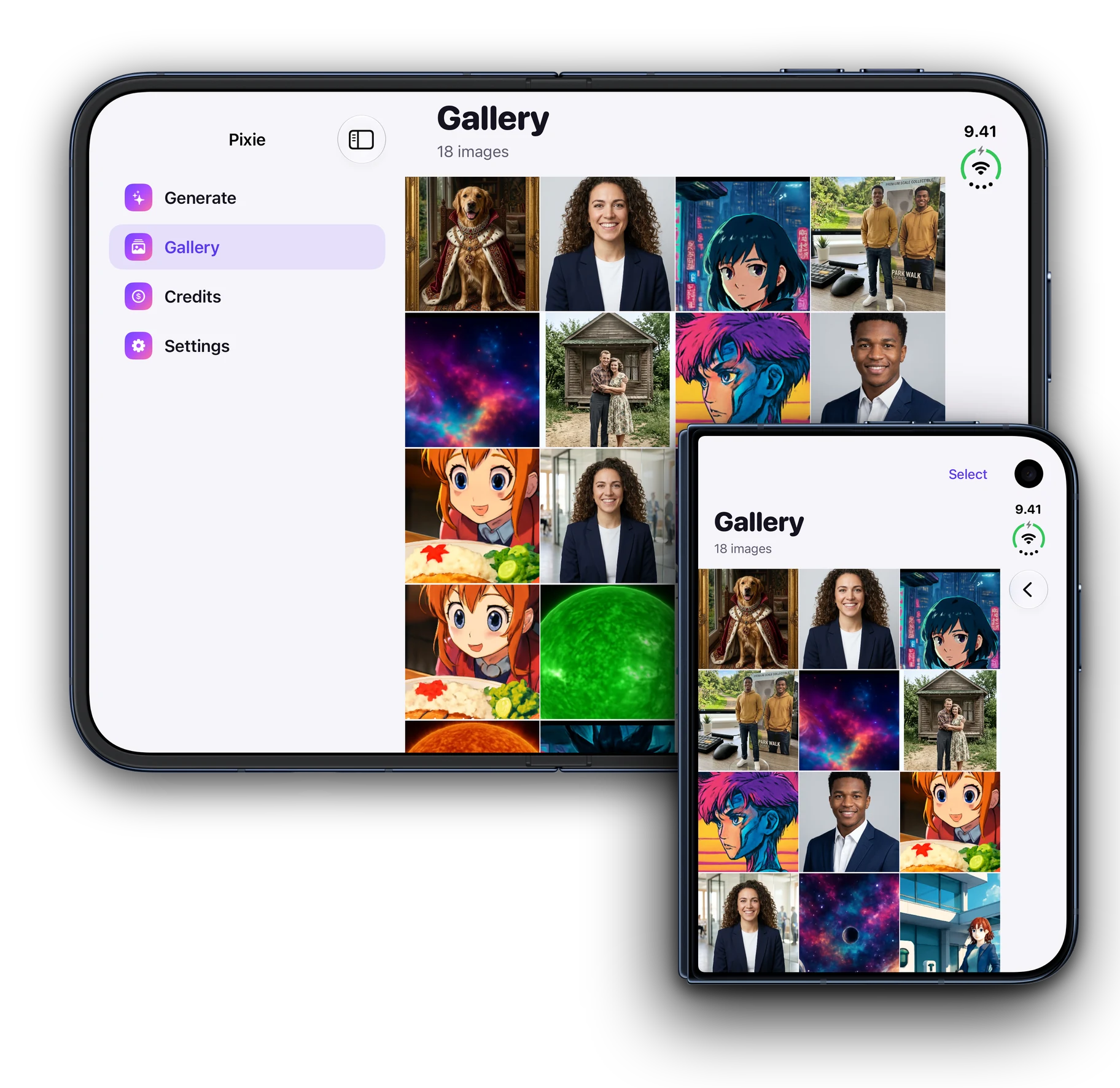
Pro headshot, a four-shot headshot pack, old-photo restore, 3D figurine, natural retouch, white background, anime style, magazine cover, new outfit or hairstyle, travel photo, royal pet portrait, a holiday card and a Halloween costume.
Each message edits your latest image: "make the blazer navy", "put her in a bright office". Or describe a brand-new picture from scratch.
Save results to Photos, or share the original and the edit side by side in one tap.
Standard runs on Nano Banana 2.1 and suits most edits at one edit per image. Max runs on GPT Image 2.6, the most detailed model, at five edits per image. If one model is busy or declines, another takes over.
Your first edit starts 5 free Standard edits a day for 7 days. After that, buy a pack of 10, 40 or 120 edits that never expire, or PixiePocket Plus for 60 edits every week. A request that fails never costs an edit.
Your images are yours alone: there is no public feed, nothing you make is shown to other users, and choosing a photo never asks for access to your whole library.
./pixiepocket --pricing
$0
$6.99/wk
US prices shown; your local price appears in the App Store. Plus renews weekly until you cancel in your Apple Account settings. Edit packs are one-time purchases that never expire. A Standard image costs one edit and a Max image five.
man pixiepocket
Choose any photo: a selfie, an old print, your pet. Nothing asks for access to your whole library.
Tap a one-tap edit and the result arrives in seconds, on Nano Banana 2.1 or, for Max, GPT Image 2.6.
Ask for changes in plain words and each message edits the latest image, then save or share the before and after.
./pixiepocket --changelog
On the App Store since
Fixes a crash when you share an image or tap Compare.
less pixiepocket/README
Turn any photo into something amazing with one tap: a pro headshot, a restored old photo, a 3D figurine, an anime portrait, a royal portrait of your pet. Standard runs on Google's Nano Banana 2.1 and Max on OpenAI's GPT Image 2.6.
Your first edit starts your Pixie Week: 5 free edits a day for 7 days. No sign-up, no card, nothing to cancel.
• Pro headshot: a studio portrait for LinkedIn and CVs that still looks like you
• Headshot pack: four studio headshots in one go
• Restore old photo: scratches out, color in
• 3D figurine: you as a collectible figure, box and all
• Natural retouch: better skin and light, no filter look
• White background: clean cutouts for listings and profiles
• Anime style, magazine cover, new outfit, new hairstyle and travel photo
• Royal pet portrait: your pet as Renaissance nobility
• Holiday card: a cozy festive portrait for your cards
• Halloween costume: a spooky costume and makeup
Ask for changes in plain words and each message edits your latest image: "make the blazer navy", "put her in a bright office". Or describe a brand-new picture from scratch.
Save results to Photos, or share a side-by-side before-and-after in one tap.
• Standard: fast and great for most edits, one edit per image
• Max: our most detailed model for the shots that matter, five edits per image
If one model is busy or declines a request, another takes over. A request that fails never costs you an edit.
• PixiePocket Plus: 60 edits every week, Standard or Max. A weekly subscription that renews until you cancel it in Settings; nothing is charged before you choose it.
• Packs of 10, 40 or 120 edits: buy once, use whenever you like, never expire.
Your images are yours alone: there is no public feed. Your prompts and photos are sent to Google Gemini and OpenAI to create your images; you approve this before your first creation and can withdraw consent anytime in Settings.
Start anonymously, then sign in with Apple, Google or GitHub to keep your images in sync across iPhone and iPad.
Works with VoiceOver, larger text sizes and Reduce Motion. Delete your account and everything in it anytime in Settings.
Terms of Use: https://www.apple.com/legal/internet-services/itunes/dev/stdeula/
Privacy Policy: https://midgarcorp.cc/legal/pixiepocket/privacy
Google, Gemini and Nano Banana are trademarks of Google LLC. GPT Image is a trademark of OpenAI. This app is not endorsed by or affiliated with Google or OpenAI.
./pixiepocket --faq
No. Edit packs of 10, 40 or 120 are one-time purchases that never expire. PixiePocket Plus is optional: 60 edits every week for $6.99, a weekly subscription that renews until you cancel it in your Apple Account settings.
The app is free to download, and your first edit starts 5 free Standard edits a day for 7 days. After that, packs of 10, 40 or 120 edits cost $2.99, $9.99 and $24.99, or PixiePocket Plus gives 60 edits a week for $6.99. A Standard image costs one edit and a Max image five.
Turn a selfie into a pro headshot or a pack of four, restore and colorize an old photo, become a 3D figurine, retouch a portrait naturally, cut a subject onto a white background, or try anime, magazine-cover, outfit, hairstyle, travel, royal-pet, holiday-card and Halloween looks.
Standard runs on Google's Nano Banana 2.1 and Max on OpenAI's GPT Image 2.6. If one model is busy or declines a request, another takes over.
Your prompts and photos are sent to Google Gemini and OpenAI to create your images. You approve this in-app before your first creation and can withdraw consent anytime in Settings.
No. You can start anonymously. To sync your images across devices, sign in with Apple, Google, or GitHub.
Some photos and prompts are declined by content moderation, most often on photos of people. A request that fails never costs you an edit, and rewording it usually works.
PixiePocket runs on iPhone and iPad with iOS 16.6 or later.
Yes. The app speaks English, German, Spanish, French, Italian, Japanese, Korean, Polish, Brazilian Portuguese, Simplified Chinese and Traditional Chinese.
Free to download, with 5 free Standard edits a day for your first 7 days. Then buy packs of 10, 40 or 120 edits ($2.99, $9.99, $24.99) that never expire, or PixiePocket Plus, 60 edits a week for $6.99, auto-renewing until you cancel.
ls ~/apps