Embr
Live streams and chat
Watch live.
Chat native.
A fast, native Twitch client for iPhone and iPad. Streams play in Apple’s own player and keep going in the background, and chat is drawn natively with every emote from Twitch, 7TV, BetterTTV and FrankerFaceZ, across every room you keep open.
 GitHub
iPhone, iPad and iPhone Duo · every feature at no cost · tips and Founding Supporter are optional

embr --chat
Chat, rebuilt for iPhone
Every emote, every room you follow, and everything that mentions you, in one native chat that keeps up with the busiest channels.


- Live chat over Twitch EventSub, drawn natively, so a room at full speed scrolls like any other list on your iPhone.
- Every open chat shares one connection, so keeping three rooms open costs about the same as one.
- Swipe a message to reply, tap a name for the card, long-press for the rest. Your own highlight words and people stand out wherever they appear.
- Past broadcasts replay their chat in sync with the video, so a VOD feels like the live show.
embr --watch
A real player, not a web page
Streams open in Apple’s own video player, so they behave like everything else on your iPhone.

- Live streams, VODs and clips in AVPlayer: picture-in-picture, quality selection, latency display, playback speed and double-tap to seek.
- Background audio and an audio-only mode keep a stream going with the screen off, with the controls on your Lock Screen.
- Turn your phone for fullscreen, and chat floats beside the stream. Double-tap the chat to put it away.
embr --room
Know the room
Who is talking, what they said here, and, in the channels you moderate, what AutoMod is holding.


embr --ipad
Made for the big screen too
On iPad, the stream and its chat sit side by side in wide windows, and the Chats tab keeps up to three rooms open at once.

./embr --iphone-duo
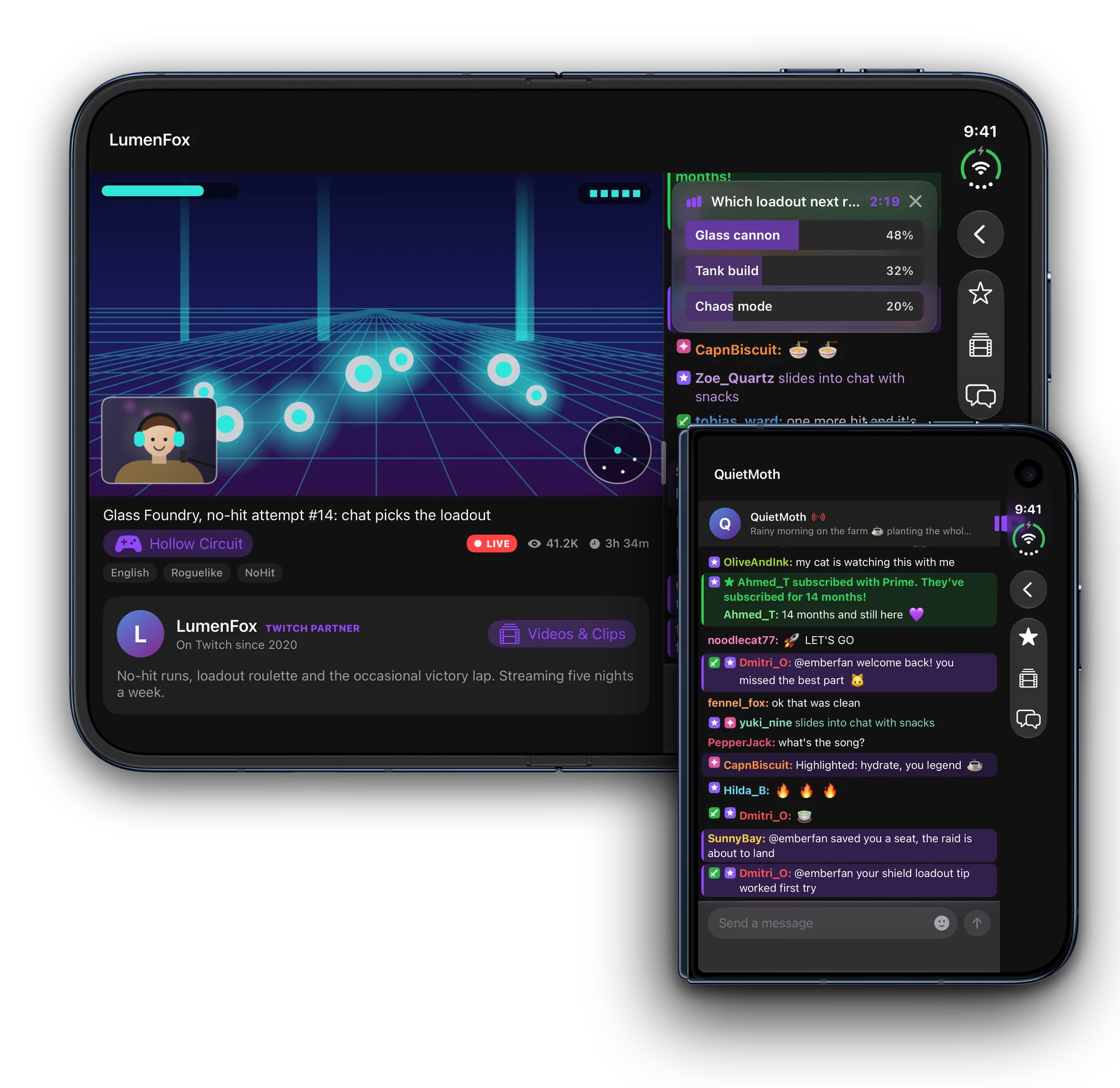
Embr on iPhone Duo
embr --yours
Make it yours
Every feature is there for everyone. If Embr becomes how you watch, a one-time Founding Supporter purchase adds looks, and you can try each one on first.


embr --privacy
Yours, not ours
- Watch without an account
- Browse, search, watch and keep favorites as a guest. Sign in with Twitch only for Following and chat.
- Your password never touches Embr
- Sign-in happens on Twitch’s own page; the token it gives back stays in your iPhone’s Keychain.
- No tracking, no analytics
- Settings, history and blocks stay on your device, and favorites sync only through your own iCloud.
- Open source
- Read every line on GitHub, from the player to the chat.
Embr is an independent app and is not affiliated with Twitch. Twitch is a trademark of its owner. Read the privacy policy.
embr --help
Questions, answered
Is Embr affiliated with Twitch?
No. Embr is an independent, third-party Twitch client. It is not made, endorsed, or affiliated with Twitch or Amazon. Twitch is a trademark of its owner.
Do I need a Twitch account to use Embr?
No. You can browse live channels, categories, search, and watch streams, VODs, and clips entirely as a guest. Sign in with Twitch only when you want a Following tab, to chat, or to use moderator tools.
What can the video player do?
Embr uses a native AVPlayer for live streams, VODs, and clips, with picture-in-picture, background audio, quality selection, fullscreen, playback speed, latency display, and double-tap to seek.
Which emotes does chat support?
Chat runs over Twitch EventSub in real time and merges animated emotes from Twitch, 7TV, BetterTTV and FrankerFaceZ into one stream, with an emote keyboard that has a section for each, alongside badges, cheermotes, replies and emote autocomplete.
Can I moderate my channel from Embr?
Yes. Turn on Moderator Tools in Settings and, in the channels you moderate, allow or deny AutoMod's held messages, answer unban requests and read the moderation log. A user card adds delete, time out and ban. Anyone can report or block from a message.
Is my data private?
Yes. Embr does not track you. Sign-in uses Twitch's official OAuth, and your access token is stored only in the iOS Keychain on your device.
Is Embr open source?
Yes — Embr is built in the open, and the full source is on GitHub at github.com/guitaripod/embr.
Which devices does Embr run on?
Embr runs on iPhone and iPad, and adapts to iPhone Duo's inner and outer displays.
Can I keep several chats open?
Yes. The Chats tab keeps chats open without their video, with unread and mention counts on each, and Mentions gathers what mentions you from all of them. On iPad, up to three chats sit side by side.
Does Embr cost anything?
No. Watching, chat and browsing are free. Tips and a one-time Founding Supporter purchase are optional; Founding Supporter unlocks only looks, and you can try each one on first.
Watch live. Chat native.
Watching, chat and browsing are free. Browse and watch as a guest, or sign in with Twitch for Following, chat and moderator tools. No tracking.
ls ~/apps